Gaming on refurbished laptops, part 1: what RAM and graphics let you play
You do not need a refurbished gaming laptop for every game. A well-chosen business laptop with no graphics card can be a satisfying machine for League of Legends, Valorant and similar light games. For Warzone, Marvel Rivals and the newer large-scale shooters, the graphics hardware becomes the central decision, and RAM comes second.
RAM decides how smooth a session feels and how often it is interrupted. The graphics decide which games run at all, and a dedicated graphics card is normally soldered to the board, so you choose it when you buy. The advice covers Windows laptops and games played on the laptop itself, as of October 2026.
Aim at the hardest game you want to keep playing. A laptop for League alone can be modest, while one for whatever your friends play next needs more graphics and memory in reserve, since you cannot know how demanding that game will be. Part 1 of 2 covers RAM, graphics and the checks on the exact laptop; part 2 takes the games one by one. Start with the refurbished laptops that fit your hardest game.
What the graphics in a laptop can do
Integrated graphics sit inside the processor and share the laptop's memory. A dedicated graphics card is a separate chip, usually with its own video memory (VRAM). Read the exact model:
- Older office graphics (Intel HD or UHD 520, 620, 630): light esports, often at reduced resolution.
- Older AMD Vega graphics (Vega 6 to 8): a more useful light-gaming start, strongly affected by memory speed.
- Intel Iris Xe (many 11th to 13th generation Core laptops): lighter esports; results vary with memory and power.
- Stronger integrated graphics (Radeon 680M and 780M): a real step up for a slim laptop.
- Newer integrated graphics (some Radeon 880M and 890M, Intel Arc in Core Ultra): results depend on the model, so judge the whole laptop.
- Older basic dedicated graphics (GeForce MX150 and MX250): dedicated memory, but limited for gaming.
- Entry gaming graphics (GTX 1650 4 GB, RTX 2050 4 GB, RTX 3050 Laptop with 4 or 6 GB): more esports and some demanding games with compromises.
- More capable 1080p graphics (RTX 2060, 3060 and 4050 Laptop, usually 6 GB; RTX 4060 Laptop, 8 GB): the realistic class for modern multiplayer shooters.
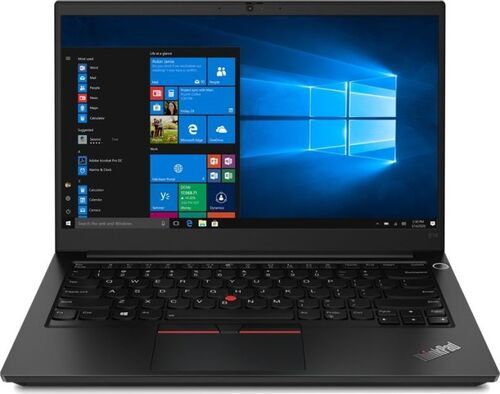
Names mislead: the Ryzen 5 7520U has a small Radeon 610M, so its '7000' name does not put it in the class of a Ryzen 7 7840U with a Radeon 780M. A dedicated card is normally soldered to the board, so a stronger one means a different laptop. An external graphics card needs the right connection, an enclosure and a power supply, so compare the full cost with a gaming laptop or a desktop first.
What more RAM changes, and what it does not
Capacity and memory speed are separate. On a typical DDR4 laptop, one 16 GB module and two 8 GB modules hold the same amount but move data at different speeds, and integrated graphics share that path with the processor. Adding a second 8 GB module to a laptop with a single 8 GB module changes capacity and dual-channel use at once, so a gain cannot be credited to 16 GB alone. Intel documents dual-channel requirements for Iris Xe; DDR5 and soldered memory follow their own rules.
- 8 GB: often workable for League or Valorant on a clean desktop. With Fortnite, Discord and a browser, memory pressure can cause interruptions, and Rust is a poor target.
- 16 GB: the ordinary routine fits, voice chat and browser included, and it is a reasonable start for modern shooters.
- 32 GB: little extra game speed for League alone, but more room for Rust, heavy multitasking, streaming and recording.
On a 16 GB laptop, an advertised 8 GB of Intel graphics is a shared allowance, not video memory of its own, and raising it in the BIOS adds no graphics power. At 60 frames per second (FPS) a frame takes about 16.7 ms and at 120 FPS about 8.3 ms, so one 150 ms stall shows even in a fast average: smooth frame times matter as much as the average.
TechSpot (January 2026) limited the memory Windows could use, on an install in everyday use with six Chrome tabs and Discord open. With an RTX 5090, Marvel Rivals ran about the same at 16, 32 and 64 GB and stuttered often at 8 GB, while a card with 8 GB of video memory showed much worse memory pressure at demanding settings. It was not a laptop test, but it shows that graphics memory and settings change the answer. The AI laptop RAM and VRAM guide covers video memory in more depth.
No graphics card: what 8, 16 and 32 GB can play
The ratings that follow are planning estimates for one reference laptop, not benchmark results: a Ryzen 5 5600H with Vega 7-class integrated graphics, two memory modules, a healthy SSD, Windows 11, Discord and a small browser session. A refurbished unit's cooling, power limits, memory layout and condition can move it either way. Good means a satisfying session at the stated settings, not a locked 144 FPS. Conditional means worth it if you accept the compromises and test the exact laptop. Fragile means it runs but stutters or blurs. Avoid means do not buy a laptop mainly for that game.
- 8 GB: you finish some work, leave a browser open and start League. Good: League and Valorant (1080p Low or Medium). Conditional: Dota 2 and Rocket League. Fragile: Fortnite, Counter-Strike 2 and Overwatch. Avoid: Apex Legends and PUBG. The game fits; the desktop around it suffers, because the client, the browser and the graphics share little memory.
- 16 GB: Good: League, Valorant, Dota 2 and Rocket League. Conditional: Fortnite (Performance renderer), Counter-Strike 2 and Overwatch, at 720p to 900p on low settings. Fragile: Apex Legends and PUBG. A balanced stopping point for light gaming.
- 32 GB: the same ratings as 16 GB, with more room for tabs, work and chat. The graphics ceiling does not move. Avoid at any RAM size: Warzone, Marvel Rivals, ARC Raiders, Battlefield 6 and Rust.
Planning ranges at 16 GB, average FPS, not guaranteed minimums: League 60 to 120, Valorant 60 to 120, Rocket League 50 to 90, Fortnite 35 to 70, Counter-Strike 2 35 to 65, Overwatch 35 to 60.
Stronger integrated graphics widen the list: Notebookcheck (November 2023) measured about 102 FPS in Counter-Strike 2 at 1080p Low on a Radeon 780M gaming laptop and about 67 at Medium, in a short repeatable sequence, not a ranked match. A slim business laptop with the same graphics can run lower, yet a 16 GB laptop with a Radeon 780M can be a better gaming buy than an older 32 GB laptop with Vega or UHD graphics.
With a graphics card: what 8, 16 and 32 GB can play
The same reference laptop, now with a 6 GB RTX 3060 Laptop GPU in a well-cooled body. The ratings are estimates again.
- 8 GB: the first impression convinces, with a sharper image and smoother motion. Good: League, Dota 2, Valorant and Rocket League. Conditional: Counter-Strike 2, Overwatch and Apex Legends. Fragile: Fortnite, PUBG and Warzone. Avoid: Marvel Rivals, ARC Raiders, Battlefield 6 and Rust. A healthy frame counter can still pause in a new area, so budget for 16 GB at once.
- 16 GB: the broadest practical start for 1080p multiplayer. Good: League, Dota 2, Valorant, Rocket League, Fortnite, Counter-Strike 2, Overwatch, Apex Legends, PUBG and ARC Raiders. Conditional: Warzone, Marvel Rivals, Battlefield 6 and Rust, with low settings, conservative textures and a test of the exact laptop.
- 32 GB: the same ratings except Marvel Rivals, which moves up to good, with more room for voice chat, a browser and long sessions. Rust is the clearest case for 32 GB. A 6 GB card stays a 6 GB card, and a busy server can still overload the processor.
Planning ranges at 16 GB, average FPS: League 120 to 220, Valorant 140 to 240, Rocket League 120 to 200, Fortnite 80 to 160, Counter-Strike 2 80 to 160, Overwatch 90 to 160, Warzone about 45 to 85 (tuned 1080p Low, upscaling may be needed), ARC Raiders about 60 to 110.
Notebookcheck (November 2025) tested ARC Raiders on a Legion 5 Pro with a Core i7-12700H and an RTX 3060 Laptop: about 144 FPS at 1080p Low, 91 at Medium, 70 at High and about 38 at Epic with ray tracing, on a brief practice route. An older Ryzen 5 laptop may not match it, but the trade-off between settings and speed is clear.
Popular online games, one by one: what each asks for
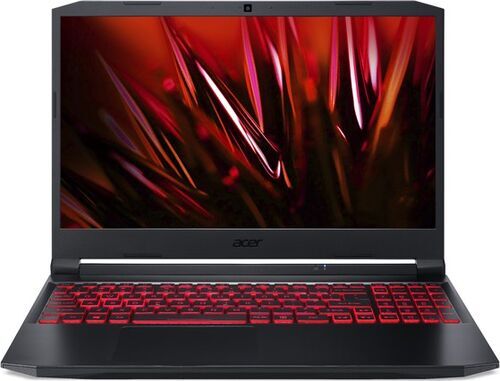
Publishers' minimums, checked in October 2026, do not promise a pleasant competitive session. The practical target is a suggestion for a whole laptop with a suitable processor, graphics and SSD. Requirement pages often list desktop parts, and an RTX 3060 Laptop GPU is a different product from a desktop RTX 3060.
- League of Legends: minimum 2 GB; 8 GB works, 16 GB preferred.
- Dota 2: minimum 4 GB; 16 GB.
- Valorant: minimum 4 GB; 8 GB works, 16 GB preferred.
- Rocket League: minimum 4 GB; 8 GB works, 16 GB comfortable.
- Fortnite: minimum 8 GB; 16 GB, and 32 GB for heavier mixed use.
- Counter-Strike 2: minimum 8 GB; 16 GB.
- Overwatch (also called Overwatch 2): minimum 6 GB; 16 GB for a general-purpose laptop.
- Apex Legends: minimum 6 GB; 16 GB.
- PUBG: Battlegrounds: minimum 8 GB; 16 GB, and 32 GB if you measure memory pressure.
- Call of Duty: Warzone: minimum 8 GB; 16 GB to start, 32 GB for heavier use.
- Marvel Rivals: minimum 16 GB; 16 GB with suitable settings, 32 GB for margin.
- ARC Raiders: minimum 12 GB, recommended 16 GB; 16 GB to start.
- Battlefield 6: minimum 16 GB; 16 GB to start, 32 GB for margin.
- Rust: minimum 12 GB; 32 GB preferred if Rust is why you buy.
Warzone's page lists 12 GB in its recommended tier and 16 GB in its competitive tier, and Marvel Rivals lists 16 GB as both minimum and recommended. Neither makes RAM the only purchase criterion. Part 2 takes each game on its own.
What players report
A post shows the moment a laptop becomes annoying, which a specification sheet cannot. These are individual experiences, not a rate and not what most players see:
- League, school laptop with Iris Xe (r/summonerschool, May 2023): a stable 60 FPS cap and about 80 to 100 FPS uncapped at low to medium settings; resolution and memory layout unknown.
- League, Framework laptop with a 12th-generation i5 (a forum, September 2023): a 40 to 120 FPS counter at Medium that felt very stuttery; another player saw about 60 FPS at 1080p Medium on an external display.
- Fortnite, two older desktops (r/FortNiteBR, January 2023): memory near 7.6 of 8 GB, and most random stutters gone after moving to 16 GB.
- Fortnite, GTX 1650 laptop with 8 GB (r/GamingLaptops, September 2023): about 60 FPS in Cold War but often 30 to 40 in Fortnite.
- Warzone, Iris Xe laptop with 16 GB (Intel Community, September 2024): rainbow-coloured ground and stuttering; a lower VRAM-usage setting was suggested in January 2025, so enough RAM does not prevent a rendering fault.
- Marvel Rivals (PC Gamer, March 2025; Steam Community, May 2025): a January update hurt one PC until it moved from 16 to 32 GB, while other 16 GB owners saw crashes stop with the shader-compilation option, or played smooth 1080p High.
- Rust, RTX 3060 laptop with 16 GB (r/playrust, April 2026): about 50 FPS at what the poster described as half resolution. Separate r/playrust posts from October and August 2025 describe fewer interruptions after moving from 8 to 16 and then 32 GB, and a new 32 GB desktop that stuttered badly.
Read each report with three questions: what else changed along the way (a second module can switch on dual channel, and a reboot or a patch can help too), which mode, server, resolution and patch it describes, and whether the cause was ever shown. Trouble is overrepresented in support communities, and older successes cannot confirm that a game works today.
What each upgrade changes, and where it stops
Find the limit before you spend:
- 8 GB with adequate graphics: add a compatible module or fit 16 GB. Capacity and perhaps memory speed improve, but the graphics chip's own power does not.
- 16 GB with older UHD graphics, or with Vega or Iris Xe: on older UHD graphics more RAM leaves the same graphics, and a better laptop platform unlocks more games; with Vega or Iris Xe and light games already fine, keep the laptop and spend only for a concrete need.
- 16 GB with a capable graphics card, and stalls under memory pressure: consider 32 GB after checking layout and support. If FPS is low with memory to spare, test settings, power, cooling and the processor first.
- 32 GB with a weak graphics card or little video memory: look at another laptop, since laptop graphics cards are usually not replaceable.
- Fast at first, slower later: inspect temperatures, clocks, fans and the charger.
Moving from 8 to 16 GB often turns managing resources into ordinary use. Moving from 16 to 32 GB changes tolerance for heavier sessions and may feel identical when the workload already fits. Check the exact model's service documentation before you buy memory: some laptops have two slots, some one slot plus soldered memory, some none, and DDR4 and DDR5 do not swap. The AMD ThinkPad T14 Gen 3 has soldered LPDDR5 up to 32 GB, so choose its capacity at purchase, while a Legion 5 15ACH6H has two DDR4 slots.
Check the whole laptop before you buy
Ask for the full specification before you compare prices:
- Processor: the full model number with its suffix.
- Graphics: the exact model, the Laptop designation, video memory and power where stated.
- Memory: capacity, number of modules, speed, soldered part and free slots.
- Screen: native resolution and refresh rate.
- SSD: capacity and health. 256 GB gets tight with Windows, launchers and one or two large games; 512 GB is easier and 1 TB suits a mixed library.
- Charger: the right power rating.
- Cooling and battery: a long session shows more than the first minute.
- Firmware and ports: accessible settings, no company-management lock, working outputs, USB, Wi-Fi and Ethernet.
- Return terms: long enough for a real gaming check.
A grade describes how a laptop looks, not how it holds up through a long session, so treat the word tested as the start of your own check. Refurbished means professionally tested, cleaned and reconditioned until it is hard to tell apart from new, and every refurbed purchase carries a minimum 12-month warranty and a 30-day return window. Add up the full cost of getting a listing ready: the laptop, compatible RAM, an SSD change, the right charger, a battery if needed and any service. The laptop buying guide helps you narrow the choice.
Windows, Secure Boot and drivers: what lets a laptop start the game
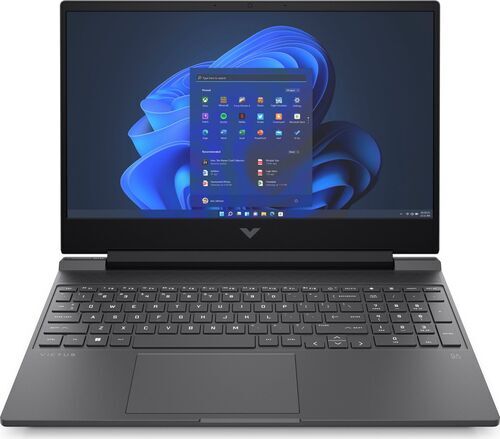
A game can refuse to start on a laptop that renders it well, so check these in the listing and again during the return window. Dates are as checked in October 2026; read each game's current page too:
- Security requirements: On Windows, League of Legends needs DirectX 11 feature support and TPM 2.0. Valorant needs TPM 2.0 and UEFI Secure Boot on Windows 11, so a seller's 'Windows 11 installed' is not enough: check that its Vanguard anti-cheat starts. Warzone needs TPM 2.0 and Secure Boot. Battlefield 6 adds its own security requirements for each mode, and Fortnite tournaments add extra security rules.
- Windows: normal support for Windows 10 ended in October 2025, and a game page that still lists it does not show that the laptop gets security updates. Check the edition and genuine Windows 11 compatibility, not an install that bypassed the hardware requirements.
- Other systems: Linux is no universal workaround (League supports Windows and macOS), and an Arm Windows laptop should not be assumed to suit this x86-focused list.
- Older graphics cards: NVIDIA moved GTX 900 and GTX 10 series cards to security-only driver updates from October 2025, scheduled through October 2028. They still run games. The Turing-based GTX 1650 is not part of this change.
- Firmware: settings you cannot open, or a laptop locked to a company, can block these features.
A 45 to 60 minute test before you keep it
Allow 45 to 60 minutes of actual play once the games and drivers are installed, and longer for symptoms that grow. The return window is the time to do it.
- Write down the setup: processor, graphics card, RAM size and layout, driver, Windows version, charger, power mode, game version, and which graphics chip the game uses.
- Write down the picture settings: output and rendering resolution, renderer, preset, textures, upscaling and frame cap, with frame generation (a feature that inserts extra frames) off. Let shader preparation finish and stop downloads.
- Warm it up: play about ten minutes before you capture a repeatable sequence.
- Test the hard scene: a busy fight, a populated landing, smoke, a busy server, ideally a full match.
- Add your normal background: Discord and a browser, switching away and back.
- Check the long run: play until the laptop is thoroughly warm and compare it with the start.
- Change one thing at a time.
The laptop passes if the busy minute stays enjoyable on your screen and settings, with your usual apps open. If not, look at the symptom first: low FPS all the time points to graphics, processor, power or the wrong graphics chip; brief freezes in a new area to shader work, storage or memory; slowdown after 15 to 30 minutes to heat or memory growth; a character that warps while your camera stays smooth to the network.
Which laptop fits the way you play
- League, Valorant and Rocket League, with portability: a suitable 16 GB business laptop with integrated graphics (8 GB only with clear limits or an upgrade plan). With extra budget, pick a better processor and graphics, screen and condition before extra RAM.
- Work or study with occasional Fortnite: 16 GB with good memory speed and, if the price fits, stronger integrated graphics. Choose a graphics card if clearer, steadier battle royale matters.
- Several popular shooters at 1080p: a capable graphics card, a suitable processor, 16 GB and an adequate SSD, and 32 GB when mixed use or one game needs it.
- Warzone, Marvel Rivals and other demanding games first: a carefully checked laptop with a graphics card, 16 GB at least and a path to 32 GB; put extra budget into graphics, video memory and processor.
- Rust on demanding servers plus multitasking: a capable processor and graphics, an SSD and preferably 32 GB.
- A business laptop with soldered memory, kept for years: choose 16 or 32 GB at purchase and check the graphics.
The most useful refurbished laptop is the one whose weakest relevant part fits the games you play. 8 GB can still serve a focused light-gaming laptop, 16 GB is the strongest general start, and 32 GB buys real extra room when the workload uses it. A better graphics and processor platform opens the next class of games, and part 2 takes those games one by one. Browse refurbished laptops from Lenovo, ASUS, Acer, HP or Dell and read each specification against your list of games.
Frequently asked questions about gaming on a refurbished laptop
Can a laptop with 8 GB of RAM and no graphics card play League of Legends or Valorant? Yes, on suitable hardware. Both are good on integrated graphics at 1080p Low in the estimates, and 8 GB works on a clean desktop. 16 GB is more comfortable with Discord and a browser, and Valorant also needs TPM 2.0 and Secure Boot on Windows 11.
Is 16 GB of RAM enough for gaming on a laptop? Yes, for most online games. 16 GB is the strongest general starting point, from League to Apex Legends and ARC Raiders. Rust, long mixed sessions and some newer shooters can use 32 GB, so decide from the hardest game you play.
Is 32 GB of RAM worth it for gaming? Only if your workload uses it. League alone gains little. Rust, Marvel Rivals with margin, heavy multitasking and laptops with soldered memory are the clearest cases, and a stronger graphics card often changes more.
Can a laptop without a graphics card run Fortnite, Warzone or Marvel Rivals? Fortnite works as a compromise at 720p to 900p with 16 GB. Warzone and Marvel Rivals are not sensible targets on older integrated graphics at any RAM size, and stronger new chips need a check of the exact laptop.
Can I upgrade the RAM in a refurbished laptop, or add a graphics card later? RAM upgrades depend on the model: check the service documentation for two slots, one slot plus soldered memory, or none, and match DDR4 or DDR5. Laptop graphics normally cannot be added or swapped, because they are built into the board: a stronger card means a different laptop.
Is a laptop with an RTX 3060 still good for gaming? Yes for many 1080p multiplayer games at sensible settings. Notebookcheck saw about 144, 91 and 70 FPS in ARC Raiders at Low, Medium and High on a laptop with a Core i7-12700H. Its 6 GB of video memory needs care with textures in the heaviest games.
Why does a game stutter when the FPS counter looks high? Average FPS hides slow frames: one 150 ms stall is obvious at 90 FPS. Look at frame times, memory pressure, shader work, storage, heat and the network, and change one thing at a time.
Will Valorant, Warzone or Battlefield 6 run on any Windows 11 laptop? No. They need TPM 2.0 and Secure Boot, and Battlefield 6 adds more security requirements. Check the listing for TPM 2.0 and Secure Boot, and test the launch during the return window.
Find the laptop that fits the games you play
Pick your games first, then the graphics and RAM that carry them. refurbed is a marketplace where sellers give electronics a second life, and in 2023 it was named Austria's overall EY Scale-up of the Year. Every purchase carries a minimum 12-month warranty and a 30-day return window, so you can test the laptop at home.


Sign up for our newsletter for the first time and save €15!
Never miss an offer again.
Information about the use of personal data can be found in our Privacy policy.
Get the refurbed app
For iOS and Android


Confirm sign-up
Almost done: We’ve sent you a confirmation email
- © Refurbed Marketplace GmbH
- Accessibility
- T&C
- Privacy Policy
- Imprint
- Legal Notices
- European Data Act
- Cookie Policy